Potpourri3d学习笔记
https://github.com/nmwsharp/potpourri3d
1 读写网格和点云
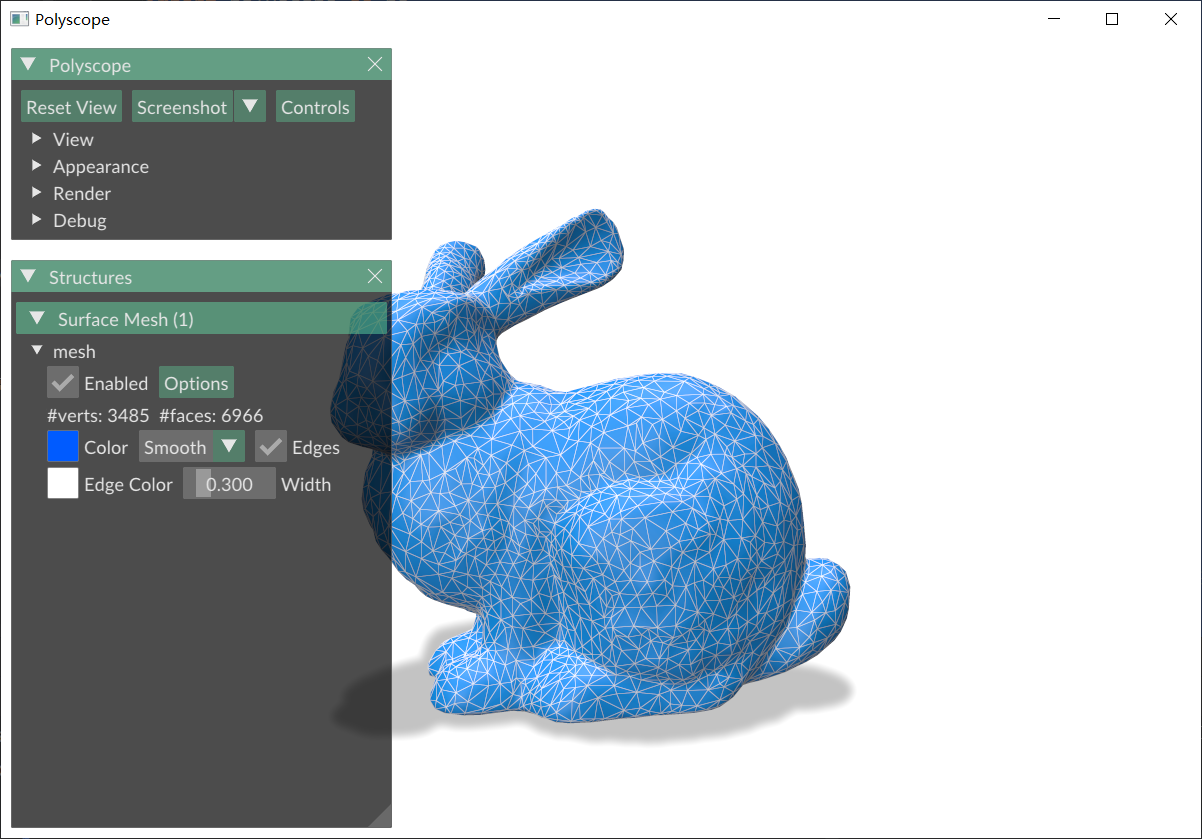
1.1 读写网格
import numpy as np
import polyscope as ps
import potpourri3d as pp3d

# 读取mesh,支持obj、ply、off、stl
V, F = pp3d.read_mesh("bunny.obj")

ps.init()
ps_mesh = ps.register_surface_mesh("mesh",
                                   V, F,
                                   color=np.array([0, 91, 255]) / 255,
                                   edge_width=0.3,
                                   edge_color=[1, 1, 1],
                                   smooth_shade=True,
                                   # transparency=0.2
                                   # material="flat"
                                   )

ps.set_view_projection_mode("perspective")  # orthographic 正交投影   perspective 透视投影
# ps.set_navigation_style("planar")  # ['turntable','free','planar','none','first_person']
ps.set_ground_plane_mode("shadow_only")  # ['none','tile','tile_reflection','shadow_only']
# ps.set_ground_plane_height(-0.001)  # 设置地平面高度
ps.set_shadow_blur_iters(3)  # 设置地平面阴影模糊程度
ps.set_shadow_darkness(0.5)  # 设置地平面阴影明暗程度
ps.set_up_dir("y_up")  # 设置y轴正方向向上(这个和设置视角会冲突,因此在添加视角参数时,这一行要注释掉)
ps.set_front_dir('z_front')  # 设置z轴正方向向前
ps.set_SSAA_factor(4)  # 在截图时,设置为4时,截图会更清晰
ps.show()

# 写入mesh,支持obj
pp3d.write_mesh(V, F, "write_bunny.obj")
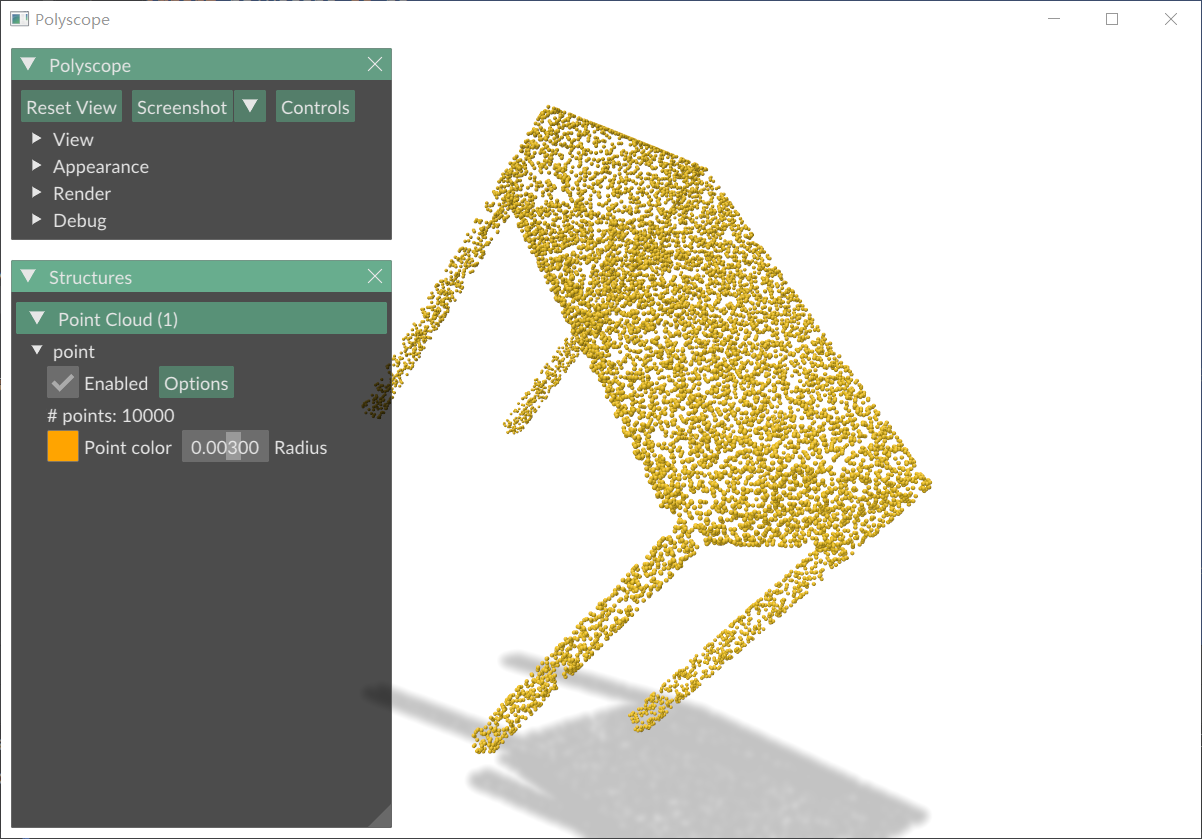
1.2 读写点云
import numpy as np
import polyscope as ps
import potpourri3d as pp3d

# 读取点云,支持obj、ply、off、stl
V = pp3d.read_point_cloud("desk_0011_adjust.ply")

ps.init()
ps.register_point_cloud("point", V,
                        color=[255 / 255, 164 / 255, 0],
                        radius=0.003)

ps.set_view_projection_mode("perspective")  # orthographic 正交投影   perspective 透视投影
# ps.set_navigation_style("planar")  # ['turntable','free','planar','none','first_person']
ps.set_ground_plane_mode("shadow_only")  # ['none','tile','tile_reflection','shadow_only']
# ps.set_ground_plane_height(-0.001)  # 设置地平面高度
ps.set_shadow_blur_iters(3)  # 设置地平面阴影模糊程度
ps.set_shadow_darkness(0.5)  # 设置地平面阴影明暗程度
ps.set_up_dir("y_up")  # 设置y轴正方向向上(这个和设置视角会冲突,因此在添加视角参数时,这一行要注释掉)
ps.set_front_dir('z_front')  # 设置z轴正方向向前
ps.set_SSAA_factor(4)  # 在截图时,设置为4时,截图会更清晰
ps.show()

# # 写入mesh,支持obj
pp3d.write_point_cloud(V, "write_point_cloud.ply")
2 mesh基础操作
2.1 求mesh面积
import numpy as np
import potpourri3d as pp3d
import polyscope as ps

V, F = pp3d.read_mesh("bunny.obj")

areas = pp3d.face_areas(V, F)

print("V:", V.shape)
print("F:", F.shape)
print("areas:", areas.shape)

print("前10个三角形面积:")
print(areas[:10])

sum_areas = np.sum(areas)
print(sum_areas)
打印:
V: (3485, 3)
F: (6966, 3)
areas: (6966,)
前10个三角形面积:
[6.51157887e-06 4.19593246e-06 3.29073856e-05 1.95616644e-05
 1.99238611e-05 2.15468231e-05 1.26267947e-05 7.26404158e-06
 3.43636975e-06 4.37092560e-06]
0.058212918687553586
import numpy as np
import potpourri3d as pp3d
import polyscope as ps


def compute_sum_area(vertices, faces):
    # 提取每个三角形的三个顶点坐标
    v0 = vertices[faces[:, 0]]
    v1 = vertices[faces[:, 1]]
    v2 = vertices[faces[:, 2]]

    # 构造两条边向量(从 v0 出发)
    edge1 = v1 - v0
    edge2 = v2 - v0

    # 叉积的模长 = 平行四边形面积,除以2得三角形面积
    cross_product = np.cross(edge1, edge2)
    areas = np.linalg.norm(cross_product, axis=1) * 0.5

    return np.sum(areas)


V, F = pp3d.read_mesh("bunny.obj")
sum_areas = compute_sum_area(V, F)
print(sum_areas)
打印:
0.058212918687553586
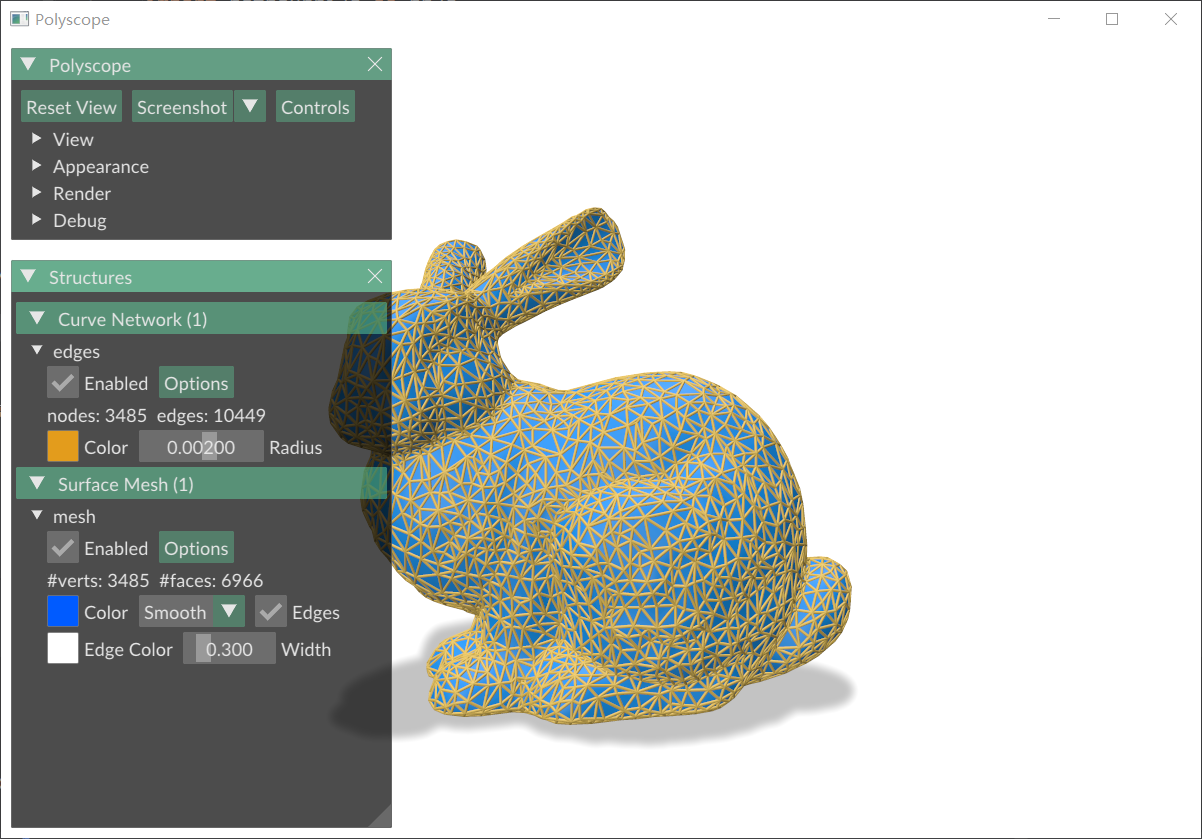
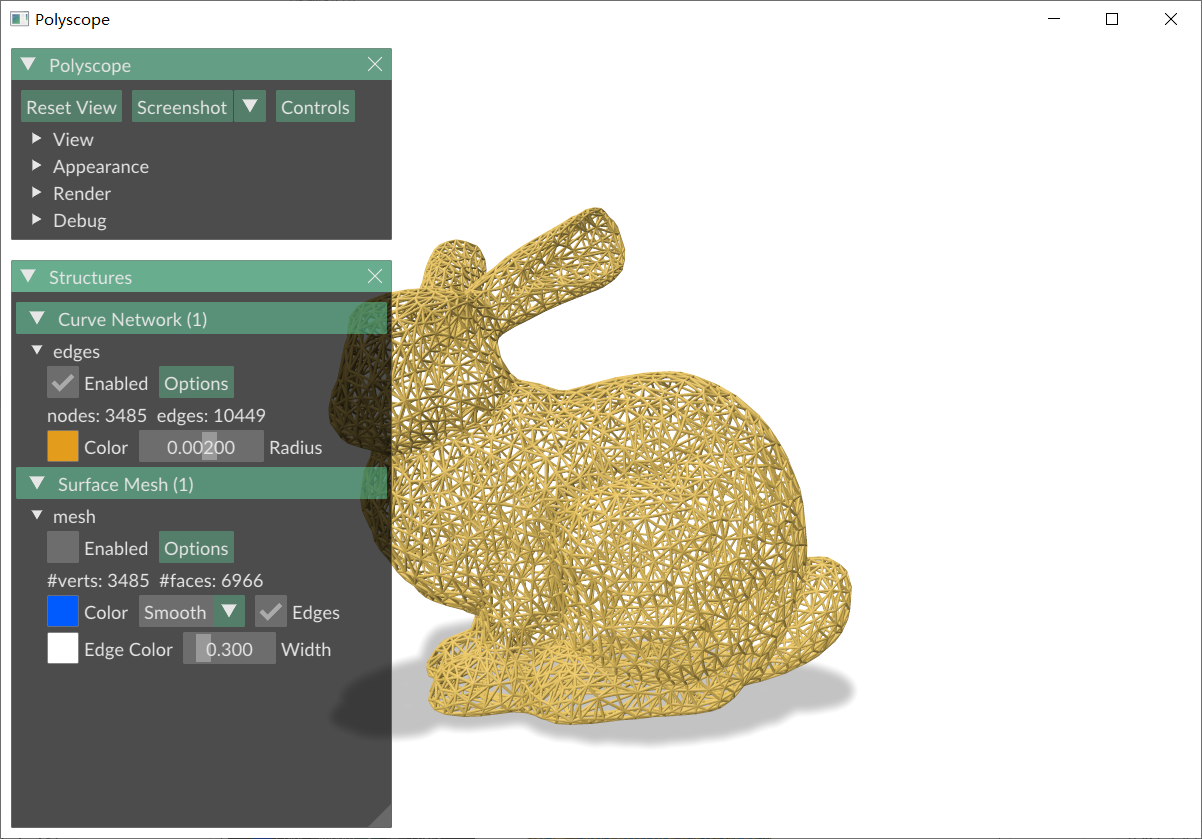
2.2 边数据
import numpy as np
import potpourri3d as pp3d
import polyscope as ps

V, F = pp3d.read_mesh("bunny.obj")

# mesh的边数据
E = pp3d.edges(V, F)
print(E)

ps.init()
ps_mesh = ps.register_surface_mesh("mesh",
                                   V, F,
                                   color=np.array([0, 91, 255]) / 255,
                                   edge_width=0.3,
                                   edge_color=[1, 1, 1],
                                   smooth_shade=True,
                                   # transparency=0.2
                                   # material="flat"
                                   )

ps.register_curve_network("edges", V, E, radius=0.002)
ps.set_view_projection_mode("perspective")  # orthographic 正交投影   perspective 透视投影
# ps.set_navigation_style("planar")  # ['turntable','free','planar','none','first_person']
ps.set_ground_plane_mode("shadow_only")  # ['none','tile','tile_reflection','shadow_only']
# ps.set_ground_plane_height(-0.001)  # 设置地平面高度
ps.set_shadow_blur_iters(3)  # 设置地平面阴影模糊程度
ps.set_shadow_darkness(0.5)  # 设置地平面阴影明暗程度
ps.set_up_dir("y_up")  # 设置y轴正方向向上(这个和设置视角会冲突,因此在添加视角参数时,这一行要注释掉)
ps.set_front_dir('z_front')  # 设置z轴正方向向前
ps.set_SSAA_factor(4)  # 在截图时,设置为4时,截图会更清晰
ps.show()
打印:
[[2784 2497]
 [2497 2027]
 [2027 2784]
 ...
 [3203 3086]
 [3162 3086]
 [3151 3086]]
 |
 |
|---|---|
| mesh+wireframe | wireframe |
3 测地距离
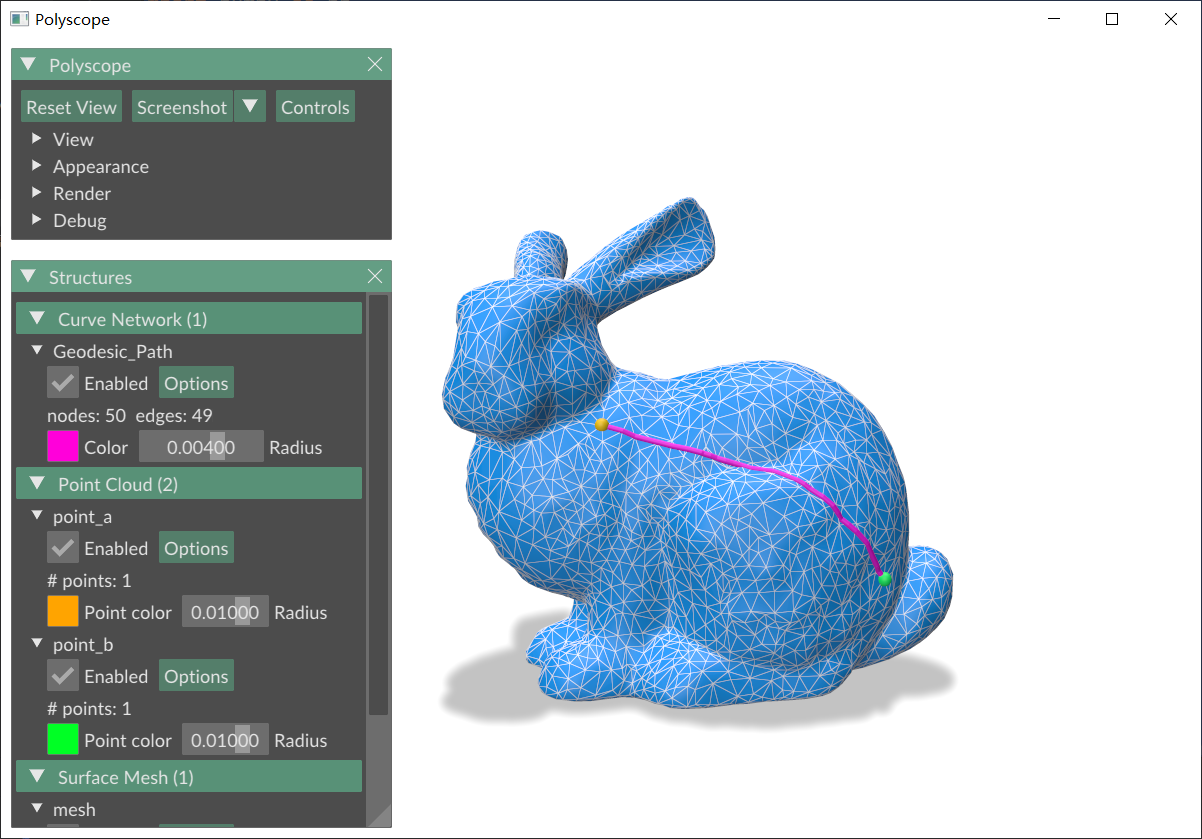
3.1 求两点测量距离
import potpourri3d as pp3d
import numpy as np
import trimesh
import polyscope as ps

# 读取mesh
path = "bunny.obj"
mesh = trimesh.load_mesh(path)
V, F = mesh.vertices, mesh.faces

path_solver = pp3d.EdgeFlipGeodesicSolver(V, F)

point_a_id = 540
point_b_id = 760
path_pts = path_solver.find_geodesic_path(v_start=point_a_id, v_end=point_b_id)

length = np.sum(np.linalg.norm(np.diff(path_pts, axis=0), axis=1))
print(length)

n = len(path_pts)
edges = np.array([[i, i + 1] for i in range(n - 1)])

ps.init()
ps_mesh = ps.register_surface_mesh("mesh",
                                   V, F,
                                   color=np.array([0, 91, 255]) / 255,
                                   edge_width=0.3,
                                   edge_color=[1, 1, 1],
                                   smooth_shade=True,
                                   # transparency=0.2
                                   # material="flat"
                                   )
r = 0.01
ps.register_point_cloud("point_a", V[point_a_id].reshape(-1, 3), radius=r, color=[255 / 255, 164 / 255, 0])
ps.register_point_cloud("point_b", V[point_b_id].reshape(-1, 3), radius=r, color=[0, 255 / 255, 37 / 255])

ps.register_curve_network(
    "Geodesic_Path", path_pts, edges,
    color=[255 / 255, 0, 218 / 255],
    radius=0.004,
)

ps.set_view_projection_mode("perspective")  # orthographic 正交投影   perspective 透视投影
# ps.set_navigation_style("planar")  # ['turntable','free','planar','none','first_person']
ps.set_ground_plane_mode("shadow_only")  # ['none','tile','tile_reflection','shadow_only']
# ps.set_ground_plane_height(-0.001)  # 设置地平面高度
ps.set_shadow_blur_iters(3)  # 设置地平面阴影模糊程度
ps.set_shadow_darkness(0.5)  # 设置地平面阴影明暗程度
ps.set_up_dir("y_up")  # 设置y轴正方向向上(这个和设置视角会冲突,因此在添加视角参数时,这一行要注释掉)
ps.set_front_dir('z_front')  # 设置z轴正方向向前
ps.set_SSAA_factor(4)  # 在截图时,设置为4时,截图会更清晰
ps.show()
3.2 求点集测地距离矩阵
import numpy as np
import potpourri3d as pp3d


def geodesic_matrix(verts, faces, vert_idxs):
    # https://github.com/real-stanford/garmentnets/blob/4ccbe43d75e97933525410bb1a25ad617a1bbdf4/common/potpourri3d_util.py#L4
    """
    Pair-wise geodesic distance between all vertecies
    """
    solver = pp3d.MeshHeatMethodDistanceSolver(verts, faces)
    length = len(vert_idxs)
    result_mat = np.zeros((length, length))
    for i, vert_idx in enumerate(vert_idxs):
        all_dists = solver.compute_distance(vert_idx)
        result_mat[i] = all_dists[vert_idxs]
    return result_mat

# 求多个点的热测地距离矩阵
V, F = pp3d.read_mesh("bunny.obj")
print(V.shape, F.shape)

result_mat = geodesic_matrix(V, F, [1, 2, 3])
print(result_mat)
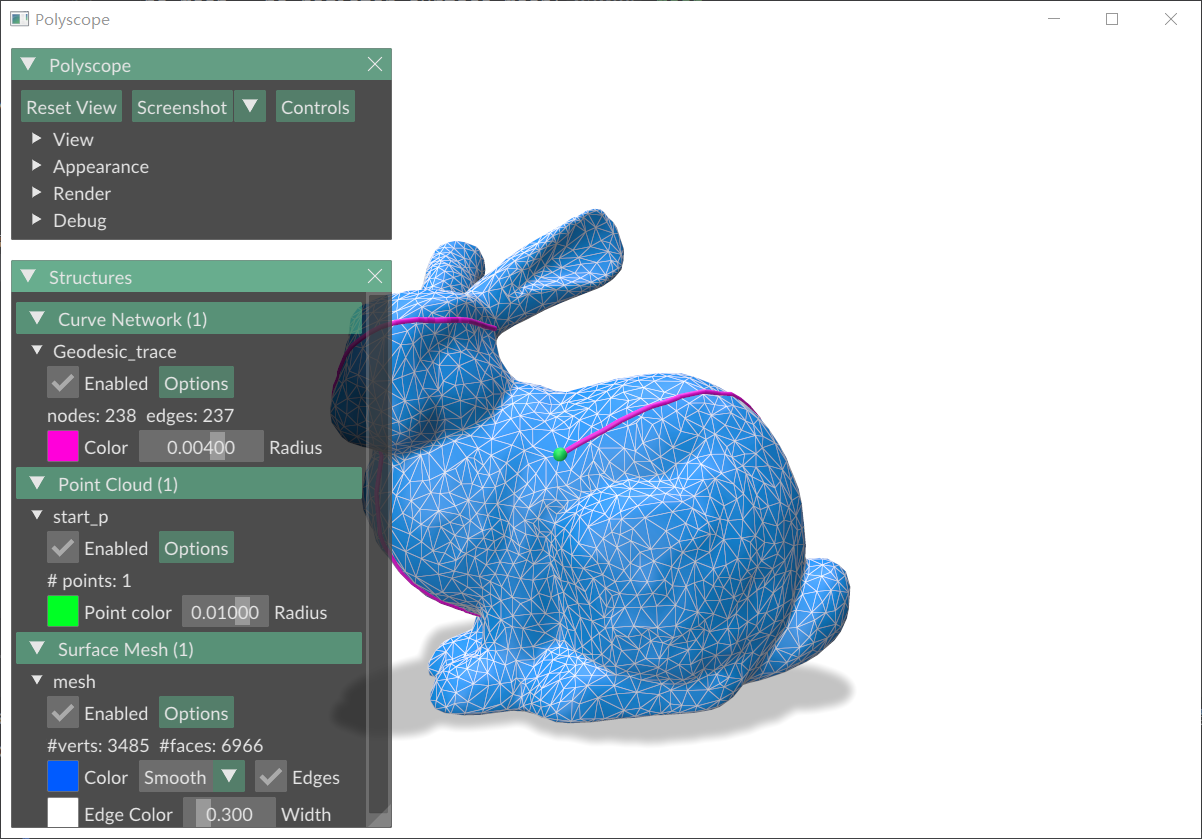
3.3 测地追踪
不太理解这个测地追踪是什么意思:从一个顶点出发,沿某一方向一直走下去,直到不能再走了?为什么不能继续往下走了?停止的条件是什么,有什么用?
import potpourri3d as pp3d
import numpy as np
import polyscope as ps

# 读取mesh
V, F = pp3d.read_mesh("bunny.obj")

tracer = pp3d.GeodesicTracer(V, F)  # shares precomputation for repeated traces

start_p_id = 525
trace_pts = tracer.trace_geodesic_from_vertex(start_p_id, np.array((0.3, 0.5, 0.4)))

n = len(trace_pts)
edges = np.array([[i, i + 1] for i in range(n - 1)])

ps.init()
ps_mesh = ps.register_surface_mesh("mesh",
                                   V, F,
                                   color=np.array([0, 91, 255]) / 255,
                                   edge_width=0.3,
                                   edge_color=[1, 1, 1],
                                   smooth_shade=True,
                                   # transparency=0.2
                                   # material="flat"
                                   )

ps.register_point_cloud("start_p", V[start_p_id].reshape(-1, 3),
                        color=[255 / 255, 164 / 255, 0],
                        radius=0.01)

ps.register_curve_network(
    "Geodesic_trace", trace_pts, edges,
    color=[1.0, 0.2, 0.2],
    radius=0.004,
)

ps.set_view_projection_mode("perspective")  # orthographic 正交投影   perspective 透视投影
# ps.set_navigation_style("planar")  # ['turntable','free','planar','none','first_person']
ps.set_ground_plane_mode("shadow_only")  # ['none','tile','tile_reflection','shadow_only']
# ps.set_ground_plane_height(-0.001)  # 设置地平面高度
ps.set_shadow_blur_iters(3)  # 设置地平面阴影模糊程度
ps.set_shadow_darkness(0.5)  # 设置地平面阴影明暗程度
ps.set_up_dir("y_up")  # 设置y轴正方向向上(这个和设置视角会冲突,因此在添加视角参数时,这一行要注释掉)
ps.set_front_dir('z_front')  # 设置z轴正方向向前
ps.set_SSAA_factor(4)  # 在截图时,设置为4时,截图会更清晰
ps.show()
4 测地热距离
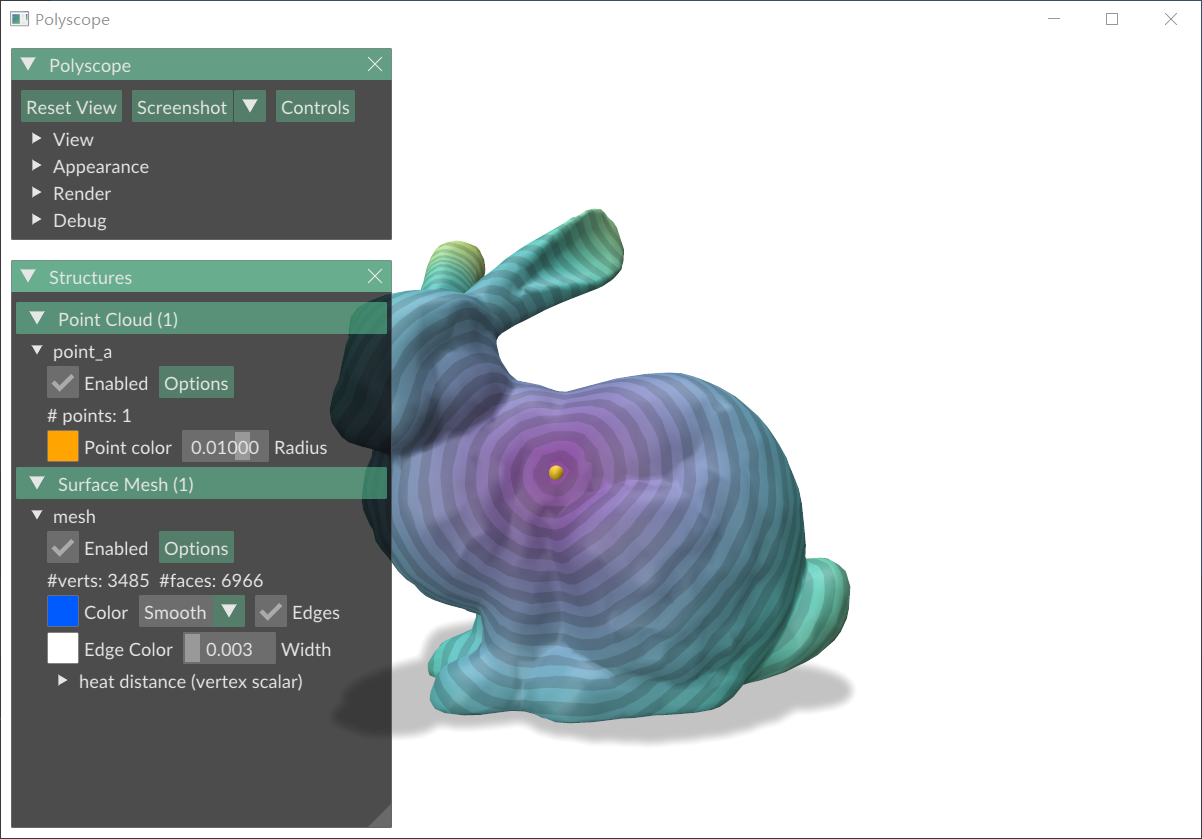
4.1 可视化某点热方法测地距离场
import numpy as np
import trimesh
import potpourri3d as pp3d
import polyscope as ps

V, F = pp3d.read_mesh("bunny.obj")

source = 478
# Heat Method计算测地距离
solver = pp3d.MeshHeatMethodDistanceSolver(V, F)

# 从source到所有顶点的距离
distance_field = solver.compute_distance(source)

ps.init()
ps_mesh = ps.register_surface_mesh("mesh",
                                   V, F,
                                   color=np.array([0, 91, 255]) / 255,
                                   edge_width=0.003,
                                   edge_color=[1, 1, 1],
                                   smooth_shade=True,
                                   # transparency=0.2
                                   # material="flat"
                                   )

ps_mesh.add_scalar_quantity("heat distance", distance_field,
                            defined_on="vertices",
                            cmap="viridis",
                            enabled=True,  # 显示标量量
                            isolines_enabled=True  # 显示等值线
                            )

r = 0.01
ps.register_point_cloud("source_p", V[[source]], radius=r, color=[255 / 255, 164 / 255, 0])

ps.set_view_projection_mode("perspective")  # orthographic 正交投影   perspective 透视投影
# ps.set_navigation_style("planar")  # ['turntable','free','planar','none','first_person']
ps.set_ground_plane_mode("shadow_only")  # ['none','tile','tile_reflection','shadow_only']
# ps.set_ground_plane_height(-0.001)  # 设置地平面高度
ps.set_shadow_blur_iters(3)  # 设置地平面阴影模糊程度
ps.set_shadow_darkness(0.5)  # 设置地平面阴影明暗程度
ps.set_up_dir("y_up")  # 设置y轴正方向向上(这个和设置视角会冲突,因此在添加视角参数时,这一行要注释掉)
ps.set_front_dir('z_front')  # 设置z轴正方向向前
ps.set_SSAA_factor(4)  # 在截图时,设置为4时,截图会更清晰
ps.show()
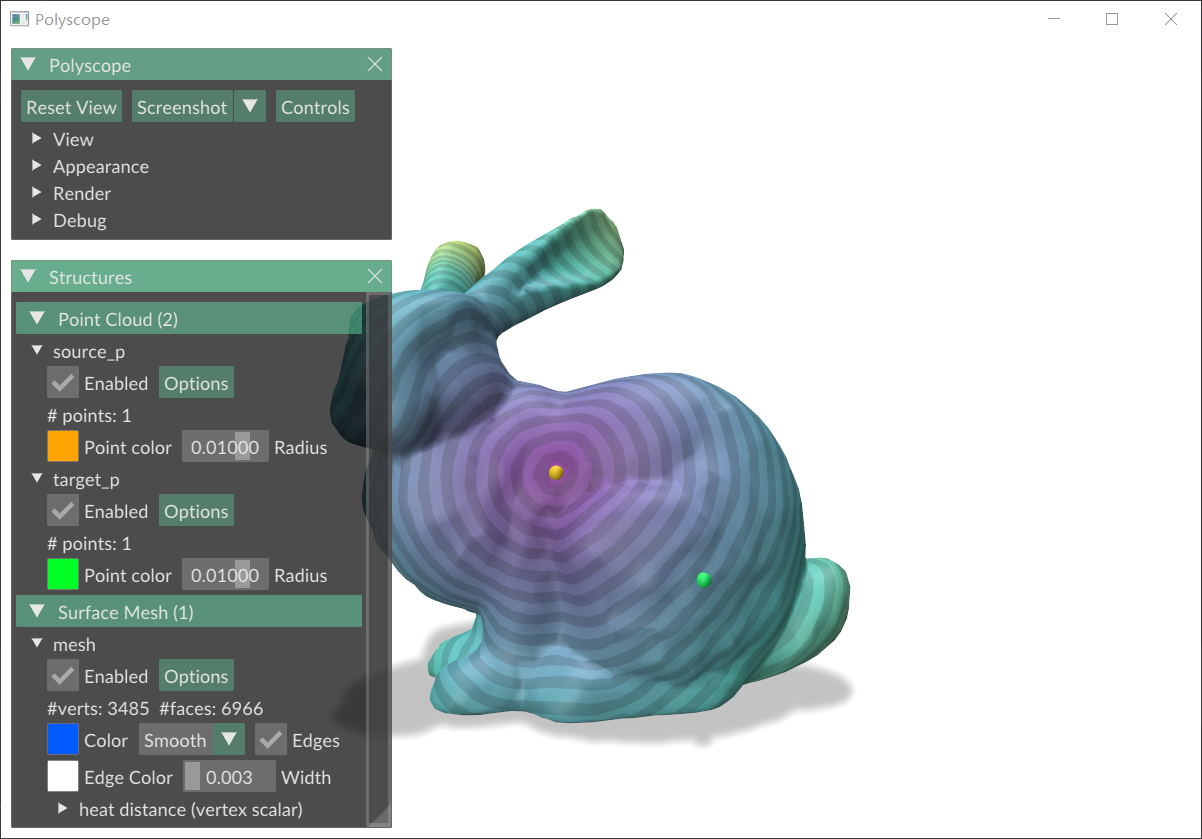
4.2 求两点的热方法测地距离
import numpy as np
import trimesh
import potpourri3d as pp3d
import polyscope as ps

V, F = pp3d.read_mesh("bunny.obj")

source = 478
# Heat Method计算测地距离
solver = pp3d.MeshHeatMethodDistanceSolver(V, F)

# 从source到所有顶点的距离
distance_field = solver.compute_distance(source)

# 根据这个距离场,就可以直接得到source点到其他点的距离
target = 802
source_2_target_distan = distance_field[target]
print(source_2_target_distan)

ps.init()
ps_mesh = ps.register_surface_mesh("mesh",
                                   V, F,
                                   color=np.array([0, 91, 255]) / 255,
                                   edge_width=0.003,
                                   edge_color=[1, 1, 1],
                                   smooth_shade=True,
                                   # transparency=0.2
                                   # material="flat"
                                   )

ps_mesh.add_scalar_quantity("heat distance", distance_field,
                            defined_on="vertices",
                            cmap="viridis",
                            enabled=True,  # 显示标量量
                            isolines_enabled=True  # 显示等值线
                            )

r = 0.01
ps.register_point_cloud("source_p", V[[source]], radius=r, color=[255 / 255, 164 / 255, 0])
ps.register_point_cloud("target_p", V[[target]], radius=r, color=[0, 255 / 255, 37 / 255])

ps.set_view_projection_mode("perspective")  # orthographic 正交投影   perspective 透视投影
# ps.set_navigation_style("planar")  # ['turntable','free','planar','none','first_person']
ps.set_ground_plane_mode("shadow_only")  # ['none','tile','tile_reflection','shadow_only']
# ps.set_ground_plane_height(-0.001)  # 设置地平面高度
ps.set_shadow_blur_iters(3)  # 设置地平面阴影模糊程度
ps.set_shadow_darkness(0.5)  # 设置地平面阴影明暗程度
ps.set_up_dir("y_up")  # 设置y轴正方向向上(这个和设置视角会冲突,因此在添加视角参数时,这一行要注释掉)
ps.set_front_dir('z_front')  # 设置z轴正方向向前
ps.set_SSAA_factor(4)  # 在截图时,设置为4时,截图会更清晰
ps.show()
打印:
0.05445324146208293